Supplier Marketplace for Shopify & WooCommerce
Discover products from trusted suppliers and import them directly into your store — no spreadsheets, no import limits.
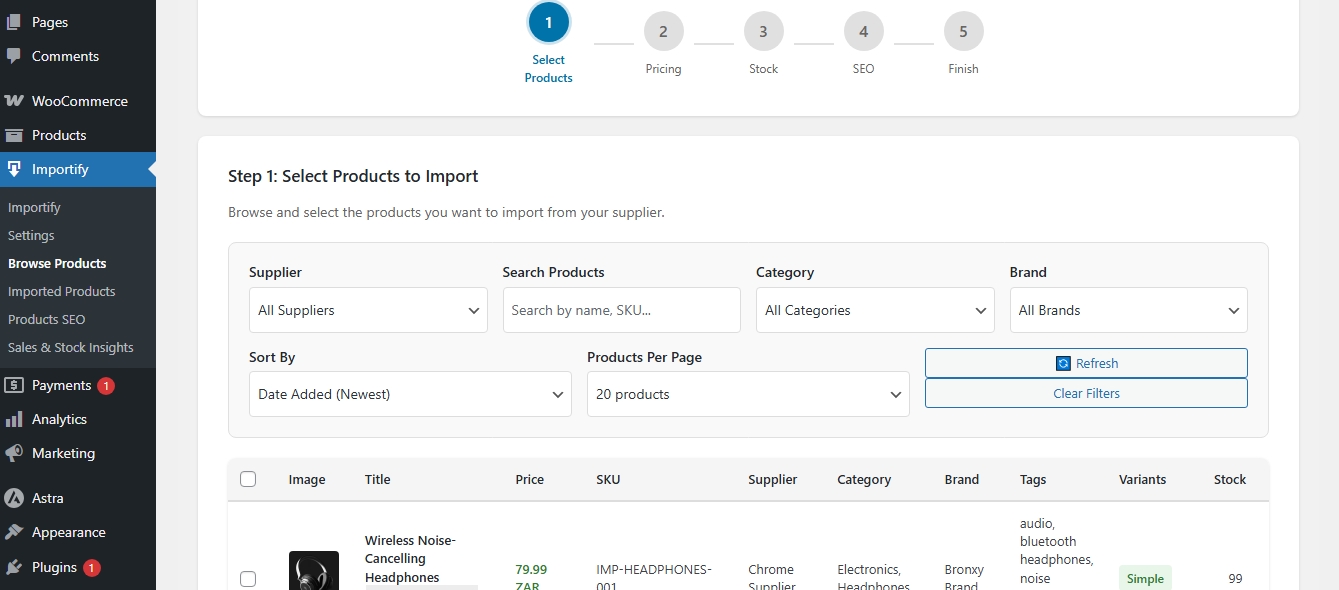
Browse
Products
Browse and search for products to import.
How to:1. Filter by Marketplace Products.
2. Filter by currency to find products in your currency.
3. Filter by category, tag, brand, sku and supplier.
4. Customize (See next step)
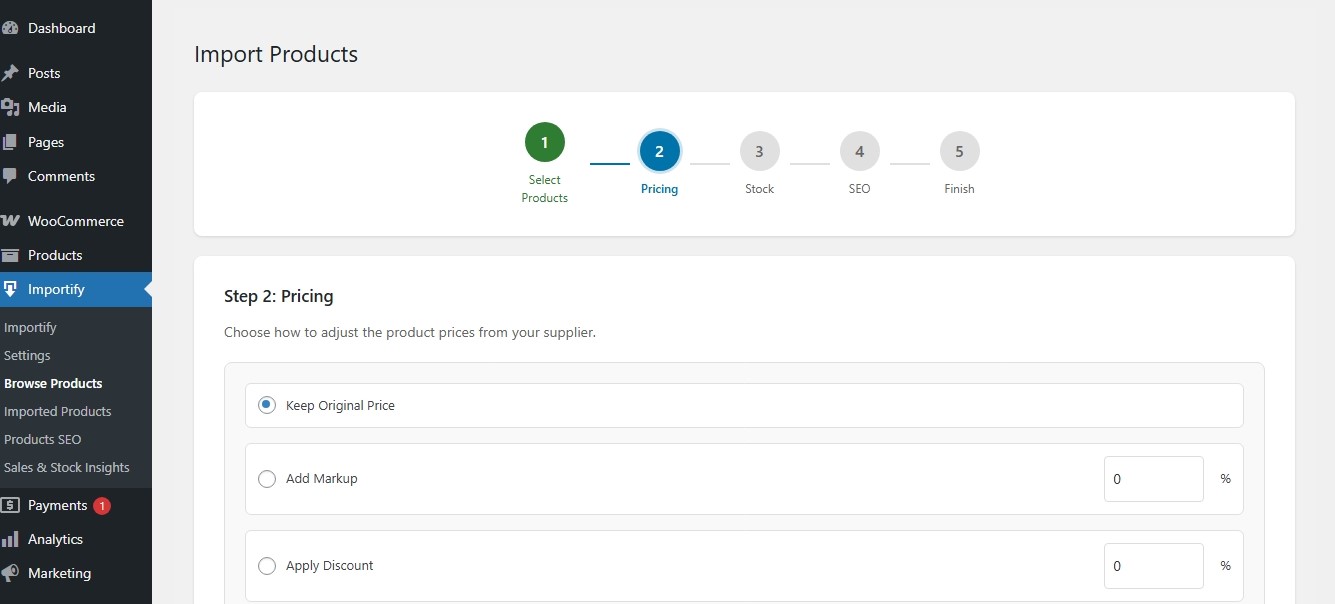
Customize
Products
Next, Its now time to make some edits before importing and publishing or set to draft.
How to:1. Add a markup or substract from the original supplier price.
2. Choose to edit stock and use the supplier's live stock.
3. Choose to include SEO for your selected products - you can later customize SEO.
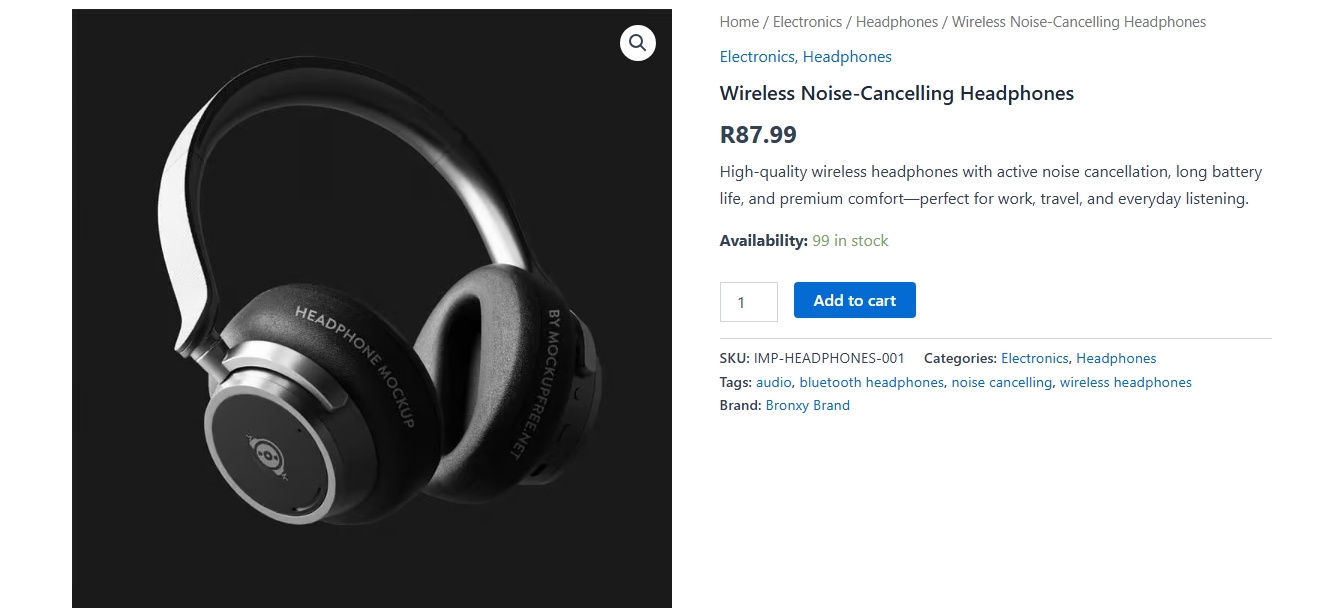
Publish
Products
Finally, After making necessary edits, publish your products.
How to:1. Publish products - ready to sell.
2. Import and put on draft
3. Imported products are ready to sell and have all product data.
Dropshipping made easy with Importify.
Import unlimited products
Import SEO ready products
Add a markup & edit bulk stock
Automated inventory and price synchronization
Import unlimited products from WooCommerce or Shopify
No import limits, No sync limits


Automate product distribution across multiple stores.
Export unlimited products
Automated product distribution
Automated product updates with Merchants
Export to Shopify & WooCommerce stores
No Syncs limits